
Summary
If a data collector is shown as offline in 3manager it means that the service has been stopped or that the software has been uninstalled.
Without an active data collector, no new meter readings, supply levels, or device status updates will be collected.
Lastly, the devices will appear as offline and then retired if not fixed.
How to bring the data collector back online
- Open the Windows Services tool on the computer where the data collector is installed. Find the service called 3manager Agent. Start or restart the service.
- You can also open the 3manager Control Panel by clicking the “3manager status” icon on the desktop to check if the service is running.
- If the data collector was uninstalled by accident, or if it does not respond even after restart, reinstall the data collector. See the installation article for guidance.
How to monitor offline data collectors
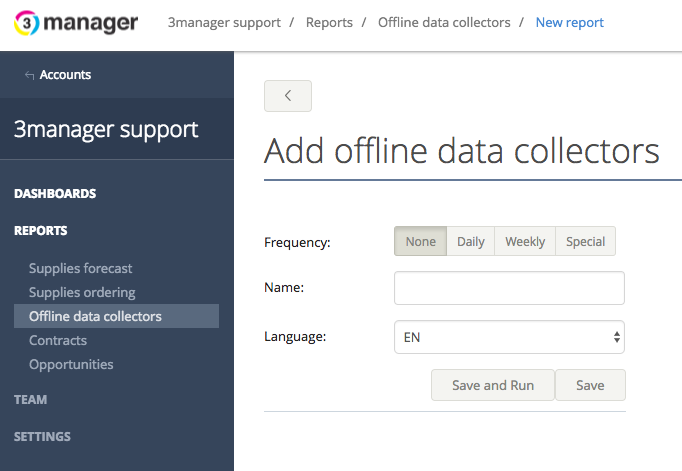
To avoid data loss you can configure an offline data collector report or alert to be sent automatically. Schedule the report daily or at another interval of your choice. It will notify you if a data collector has gone offline.
The offline report / Alert can be set up at vendor level to cover all clients or at account level to monitor one specific customer.
- Using the report: Go to the vendor - reports - offline data collectors
- Using the alerrt: Go tot he vendor - Alerts - create a new alert profile using the "Offline data collector" option
Common causes
Inactive data collectors are often caused by server changes, backup operations, or customer IT policies that stop services.
In these cases, restarting the service or reinstalling the data collector usually resolves the issue.
Related articles
How to install the 3manager data collector
How to configure data collector reports
Comments
0 comments
Article is closed for comments.